
Where ChatGPT & Gemini excel (and where they frustrate users)
Text-first AI assistants like ChatGPT and Google Gemini are genuinely great at hairstyle analysis: estimating face-shape proportions, factoring in your hair density and daily styling time, and giving you exact salon terminology to research.
Where general chatbots struggle is visual try-on consistency. Ask ChatGPT to draw bangs or a bob on your selfie, and it frequently subtly alters your eyes, jawline, or age—or takes six rewritten prompts to get a single usable image. The highest-leverage workflow is using ChatGPT/Gemini to narrow down 3 named styles, then testing those exact cuts in a dedicated iPhone studio like Cozalume.
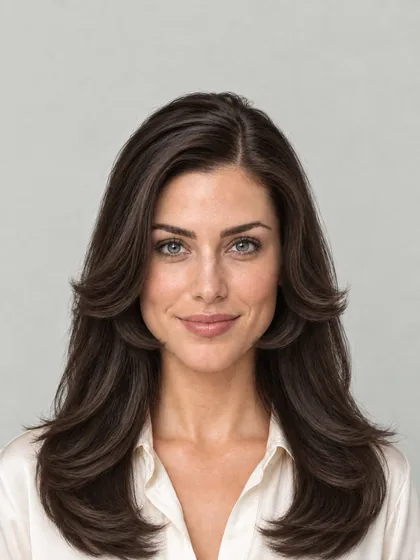


Curated style references available inside Cozalume for iPhone.
Turn Prompt Ideas Into Real iPhone Previews
Skip slow prompt retries and morphed faces. Preview 120+ named cuts and 80+ shades directly on your selfie with Cozalume.
Copy-paste prompts for ChatGPT & Gemini hairstyle analysis
Upload a clear, front-facing daylight selfie with your hair pulled back, and paste whichever template fits your goal:
Act as an experienced hairstylist. Analyze my face shape, forehead-to-jaw proportions, and natural contrast from this photo.
My hair texture is [straight / wavy / curly / coily], density is [fine / medium / thick], and I want to spend under [5 / 15] minutes styling daily.
Recommend:
1. Three specific salon-named haircuts that balance my features (with exact length and layering notes).
2. Two haircut shapes to avoid and why.
3. Exact phrasing I can tell my stylist.
Based on my facial proportions in this photo, compare how these four cuts would frame my face:
- Curtain Bangs with Long Layers
- Chin-Length French Bob
- Collarbone Italian Bob
- Soft Butterfly Cut
Rank them from most flattering to least flattering for my jawline and forehead height, and suggest whether bangs would help or shorten my face too much.
Act as a master barber. Look at my head shape, hairline, and jaw width in this photo.
My hair is [straight / wavy / curly] and [thin / medium / thick].
Suggest 3 modern, low-maintenance men's haircuts—comparing a clean Taper Fade, a Textured Crop, and a Medium Scissor Cut. Specify ideal guard length on the sides, top length in inches, and styling product.
Analyze my visible skin undertone (cool, warm, or neutral) and eye/brow contrast in this natural-light photo.
Suggest 3 flattering hair color directions (e.g., Ash Blonde, Honey Blonde, Dimensional Balayage, Rich Espresso, or Gray Blending) and explain whether cool or warm tones will make my complexion look brightest.
Why general chatbot image edits often distort your face
Even if you write "do NOT change my face" in all caps, general-purpose image models regenerate the entire pixel grid from scratch. As a result, tiny shifts around your eyelids, nose bridge, and smile creep in—making a haircut look better (or worse) only because the AI secretly edited your face.
For a deeper look at why this happens and how to avoid it, see our guide on AI hairstyle try-on without changing your face.
The best two-step workflow: Prompt for ideas → Simulate in Cozalume
- Run Prompt #1 or #4 in ChatGPT or Gemini to shortlist 3–4 salon-named cuts or color families tailored to your hair type.
- Open Cozalume on iPhone and tap straight into those curated styles—whether it's Curtain Bangs, an Italian Bob, a Taper Fade, or Honey Blonde—to compare visual previews side by side in seconds.
Frequently Asked Questions
Can ChatGPT or Gemini tell me what haircut suits my face?
Yes. Both models are strong at text-based face-shape analysis when you provide a front-facing daylight selfie and tell them your hair texture, density, and daily styling time.
Why does ChatGPT change my face when I ask it to edit my hairstyle?
General image generators recreate the whole portrait rather than isolating hair styling, which frequently introduces subtle changes to your eyes, skin, or jawline.
How do I use Gemini AI for hairstyles?
Upload a clean selfie in Gemini, paste our Face Shape & Haircut Analysis prompt above, and ask for 3 salon-named cuts plus styling maintenance notes—then preview those styles in a dedicated hairstyle app like Cozalume.
Do I need to write prompts inside Cozalume?
No. Cozalume uses curated visual galleries of 120+ named hairstyles and 80+ colors on iPhone so you can tap and preview without writing or debugging prompts.
