
Why most AI hairstyle apps quietly morph your face
If you have tried general photo editors or chatbot prompts and thought "who is that stranger?", three technical habits are almost always to blame:
- Full-portrait regeneration: General image models redraw the entire photo from scratch, introducing tiny drifts in eye spacing, nose shape, and skin texture.
- Hidden beautification bias: Many social filter apps automatically slim jawlines, whiten teeth, and airbrush pores—which ruins your ability to judge whether a real haircut flatters your real face.
- Difficult input photos: Side angles, harsh shadows, sunglasses, or low-resolution screenshots force the model to guess missing facial details.
Cozalume is designed specifically for salon style previews—focusing on fitting curated hairstyles and colors onto your selfie while helping keep your natural facial features recognizable, rather than layering beauty-filter retouching on top.

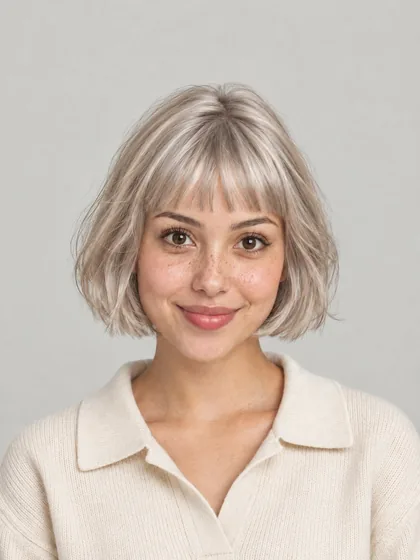
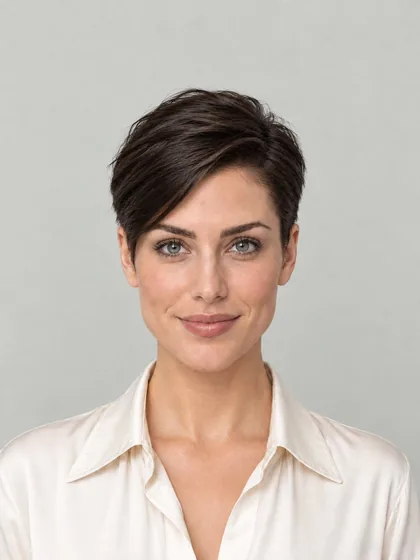
Curated style references available inside Cozalume for iPhone.
Preview Cuts Designed Around Your Natural Features
Explore 120+ hairstyles and 80+ hair colors on iPhone with Cozalume—built to evaluate real salon looks, not heavy beauty filters.
The 5-point selfie checklist for maximum facial consistency
Even the best hairstyle studio performs dramatically better when your base selfie gives clear visual landmarks. Before generating previews, check these five details:
- Use the rear camera or a steady front shot in natural daylight: Soft window light reveals clean contours around your eyes, brows, and lips without harsh shadows.
- Keep a relaxed, neutral expression facing straight ahead: Extreme angles or tilted chins make hairline alignment harder and amplify subtle feature shifts.
- Clear your forehead and jawline: Tie hair back loosely and remove glasses, hats, or bulky collars so the model sees your true face outline.
- Skip pre-filtered photos: Upload an unedited photo straight from your iPhone camera rather than an already smoothed social media screenshot.
- Leave breathing room around your head: Include your shoulders and plain space above your crown so fuller styles like curls or bobs sit naturally.
Honest expectations: what 'no face change' really means in AI
Let's be transparent: every generative AI hairstyle preview is a visual approximation, not a pixel-for-pixel photocopy. Changing hair volume, shadows across your forehead, or brightness around your cheekbones naturally alters how light reflects onto your skin—just as a real haircut and color change do in the mirror.
Compare multiple cuts on the exact same base photo
The easiest way to separate genuine haircut flattery from lighting changes is holding your base selfie constant. Upload one clean daylight photo in Cozalume and preview three curated options—for example, Curtain Bangs, an Italian Bob, and a Long Pixie—then flip between them side by side in your iPhone Photos.
Frequently Asked Questions
Is there an AI hairstyle app that doesn't change your face?
Cozalume is built for salon cut and color exploration rather than beauty retouching, designed to keep your natural facial features recognizable while previewing 120+ hairstyles and 80+ colors on iPhone.
Can any AI guarantee a 100% pixel-identical face in every preview?
No generative AI is strictly pixel-identical because new hair naturally changes shadows across your forehead, temples, and jawline. Using a clear, front-facing, unedited daylight selfie keeps your likeness far more consistent.
Why do glasses or sunglasses hurt hairstyle preview accuracy?
Frames cover key eye and bridge landmarks and introduce reflections, making it harder for AI models to preserve your exact facial structure cleanly.
Does Cozalume require writing technical prompts to keep my face consistent?
No. Unlike general chatbots where you have to engineer text prompts, Cozalume uses curated style and color presets designed specifically for iPhone portrait try-ons.
